Wed Nov 26 - Written by: Brendan McNulty
Week 48: Claude Code vs Google Antigravity
Week 48: Claude Code vs Google Antigravity
(finally building my own landing page 47 weeks in)
I wanted to test Google’s new Antigravity IDE against Claude Code. After spending weeks building everything except my own project’s landing page, I figured: why not use that as the benchmark?
Give both tools the exact same prompt and see which one builds a better single-page landing page for 52 AI Experiments. No hand-holding, no iterations—just pure “agent-first IDE” performance.
The Setup
Claude Code: Already installed and configured from previous tinkering
Antigravity: Quick setup, nothing drastic. Got it running in minutes.
Both ready to go with minimal friction.
The Identical Prompt
I gave both tools the same brief:
“Build a single-page responsive landing page for the project/website: 52AI Experiments. Requirements: Above-the-fold hero → bold headline, subheader, CTA button • ‘What this is’ section with 3 cards • ‘Latest experiments’ list with placeholder content • Newsletter signup box (just a fake form that logs output) • Mobile-first layout • Include all CSS inline using Tailwind or your default styling approach • Output: a single self-contained HTML file I can paste into a browser”
The Self-Critique Test
After seeing the results, I asked both:
“Self-critique your output as if you were evaluating a junior front-end developer. What did you get right, what likely broke, and what would you fix next?”
Antigravity:
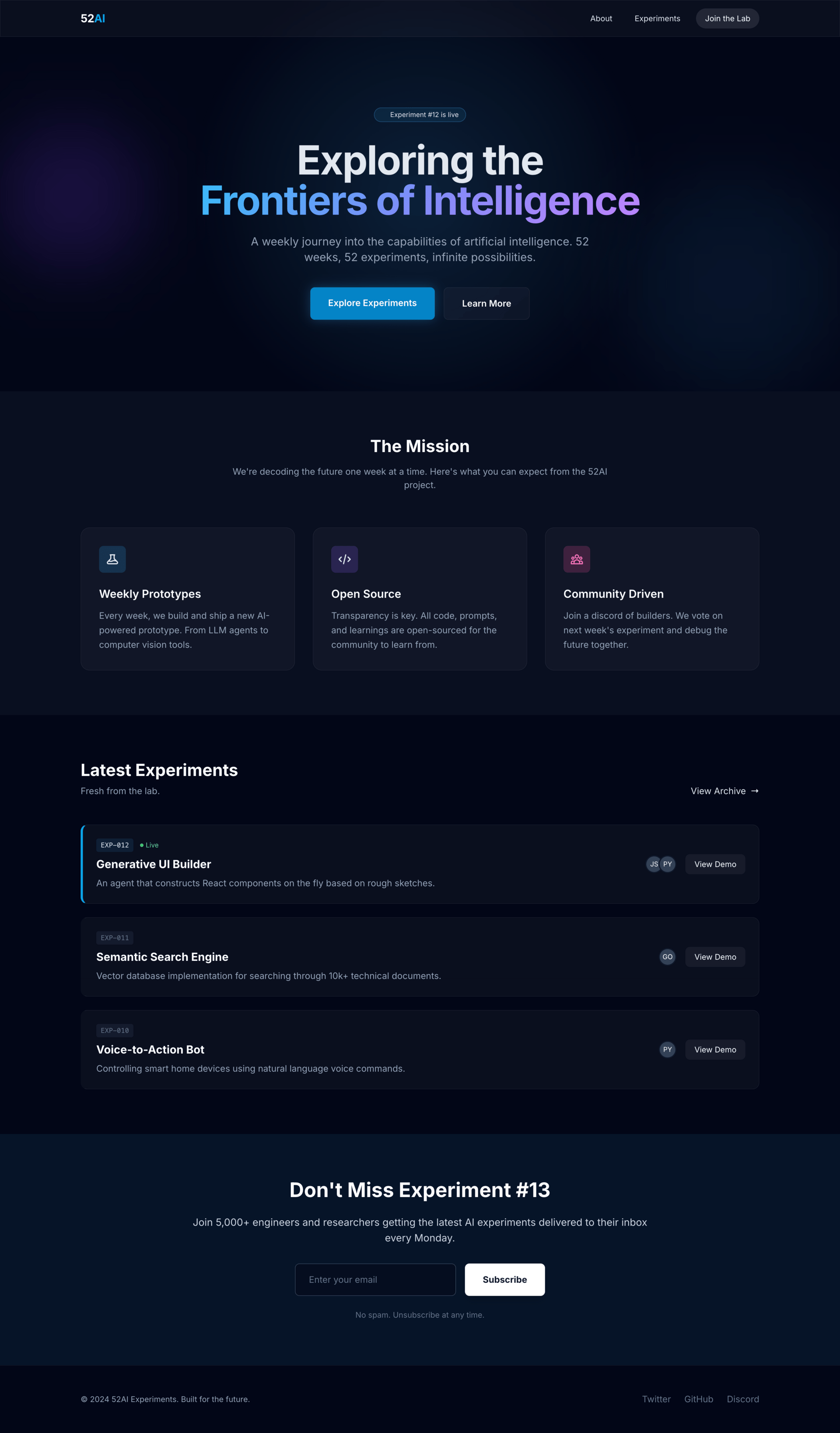
- Polished, visually slick design with semi-transparent backgrounds and gradients
- Looked premium out of the box
- Used generic placeholder content
- Self-critique was brutally honest: missing mobile navigation menu, accessibility failures (no proper labels, contrast issues), performance concerns (loading full Tailwind CDN), fragile animation code
Claude Code:
- Similar visual quality (but white instead of dark, which I always think looks cleaner)
- Went to my actual website and scraped real blog post content
- Used my experiment titles and descriptions instead of lorem ipsum (ego boost for the boss :) )
- Self-critique led with wins, then comprehensive accessibility audit, flagged dead links and missing SEO, mentioned reduced motion support
- Gave itself a B-
The Real Difference:
- Antigravity = design-forward, prioritizes visual polish
- Claude = added thoughtful touches (real content from my site) that made it feel more mine
- Antigravity’s critique focused on developer concerns (performance, architecture)
- Claude’s critique focused on user experience (accessibility, real-world usability)
Neither required any back-and-forth. Both just worked.
The Outcome
Agent-first IDEs are shockingly good at getting from zero to deployed in minutes. The real difference isn’t capability—it’s personality. Antigravity felt like working with a design-savvy developer who’d give you the pretty version first. Claude felt like working with someone who actually read your blog before building your site.
Both would’ve saved me 47 weeks of procrastination.
Key Takeaway
Agent-first IDEs are here, they work, and they’re genuinely impressive. The question isn’t whether they can build things—it’s which one matches your workflow and priorities.
Pro Tips
- Test Self-Critique Early: The self-critique feature revealed more about each tool’s priorities than the code itself. Surprisingly useful debugging technique.
- Identical Prompts = Fair Comparison: Don’t adjust your approach between tools. You’re testing them, not your ability to optimize prompts.
- Check What They Reference: Claude going to my actual website was a small detail that made a big difference. See if your tool pulls real context or generates generic content.
Want to Try It Yourself?
- Claude Code: Free tier available, works in browser or as IDE
- Google Antigravity: Requires quick setup, agent-first approach
- The Test: Give them both the same landing page brief and compare results
- Bonus: Ask for self-critique to see how each tool thinks